How to Renew Your Domain Registration on Time
One of the most important things you can do to manage your online presence is to keep your domain registration up to date. When a domain name expires, your website may go offline, your email may stop working, and in some cases, someone else may be able to take the domain name.
You can easily renew domains from your customer portal with QuickServers. You can also use tools like auto-renew to make sure you never miss a deadline.
This guide tells you how to renew your domain, how to do it from your QuickServers account, and the best ways to make sure you don't lose your domain.
1. Why it's important to renew your domain on time
Letting a domain name expire can be very bad for your business or brand:
-
Your website might go down or show error pages.
-
Email addresses that use that domain might stop working.
-
Your search engine rankings and SEO progress might be affected.
-
Customers might lose trust if they can't reach your site or email.
-
Others may be able to buy the domain in the future.
If you renew on time, your online identity stays the same and your domain name brand stays strong.
2. Knowing the Grace, Redemption, and Domain Expiry Periods
It's helpful to know how a domain usually goes through its life cycle before you renew it:
-
Registration Period – The amount of time you first registered your domain for (for example, one year, two years, or five years).
-
Expiry Date – The last day that your current registration is valid. If the domain isn't renewed after this date, it will no longer be considered "active."
-
Grace Period – A lot of domain extensions let you renew at the regular price for a short time after the expiration date.
-
Redemption Period – After the grace period ends, some domains go into a redemption stage where you can still renew them, but it usually costs more.
-
Release – If the domain isn't renewed during these stages, it may eventually be released and anyone can register it.
The best thing to do is to renew before the expiration date so you don't have to worry about grace or redemption fees.
3. Look up the expiration date of your domain in the QuickServers customer portal.
To find out when your domains will expire:
-
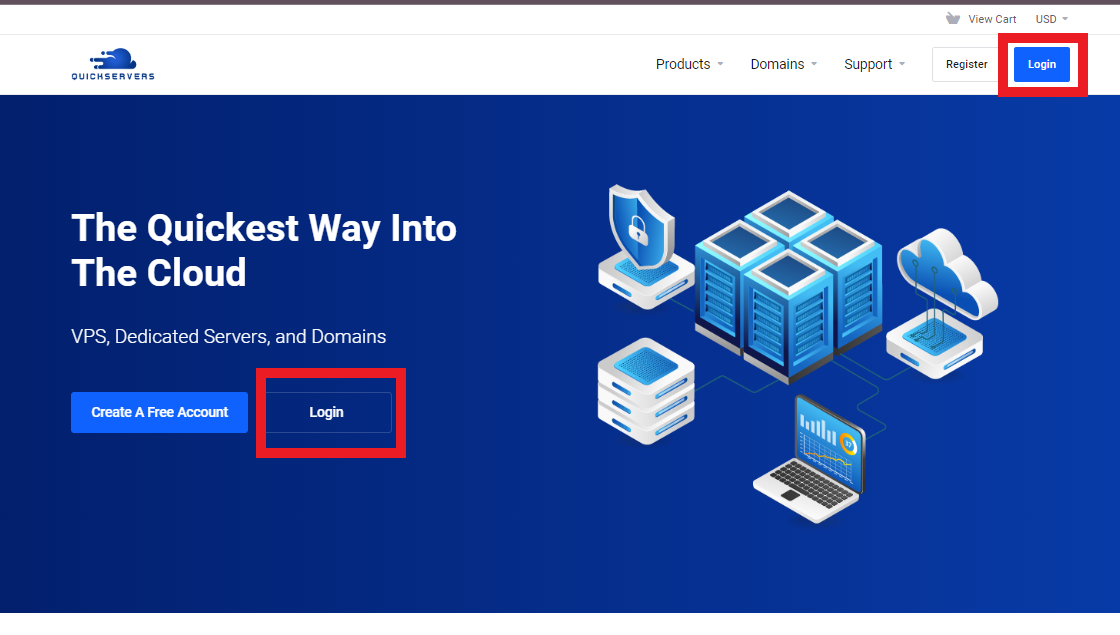
Go to the QuickServers site.
-
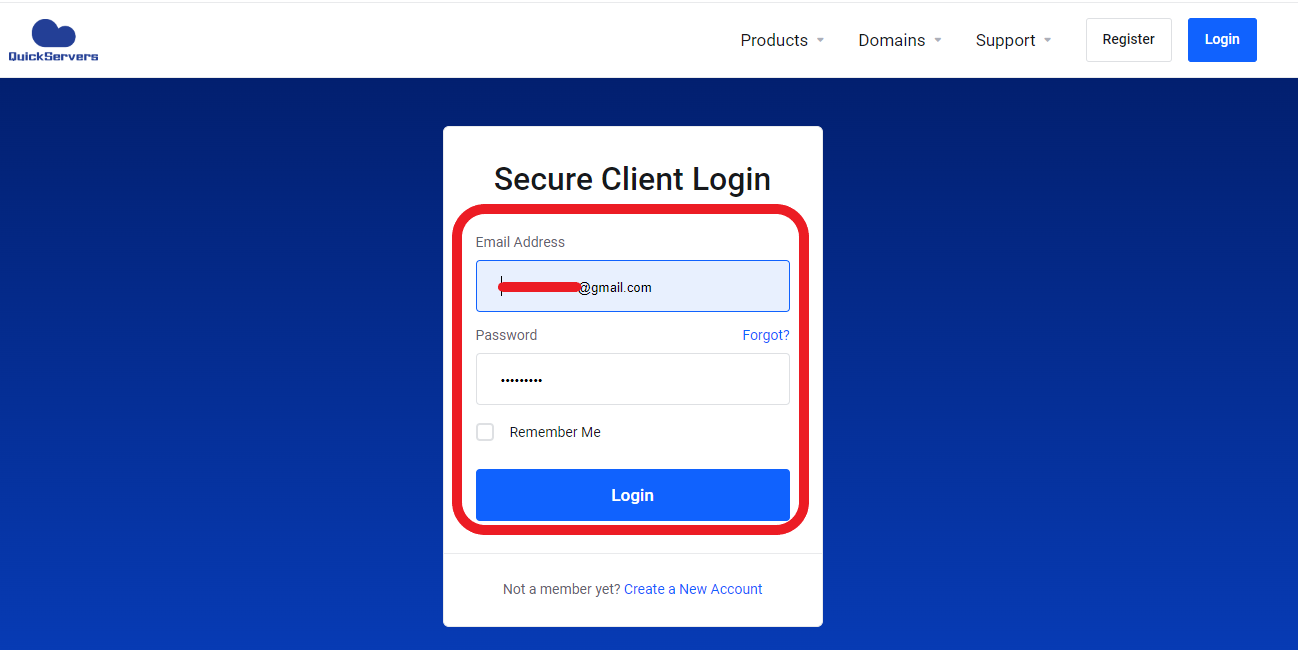
Use your account information to log in to your customer portal.
-
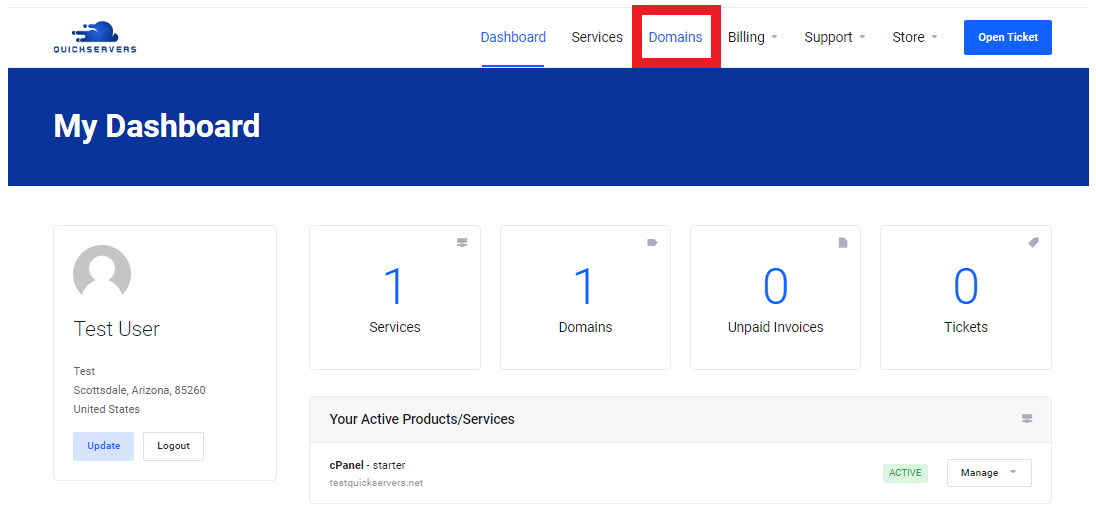
Click on "Domains" in the main dashboard.
-
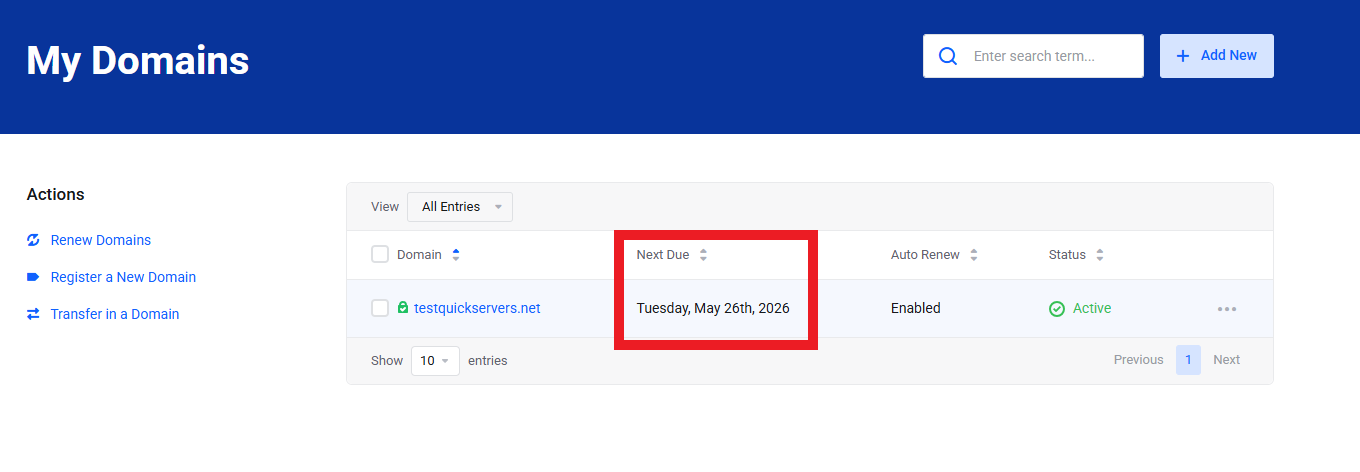
Look at the Expiry Date column for each domain to find out when it needs to be renewed.
This summary helps you decide which domains to renew first and whether you want to keep them for more than one year.
4. Set Auto-Renew to On for Important Domains
One of the easiest ways to avoid accidentally letting something expire is to set it to auto-renew:
-
Click on the domain name you want to protect in your "My Domains" list.
-
Find a link that says "Auto Renew Status".
-
Turn on auto-renew for that domain.
-
Keep your changes.
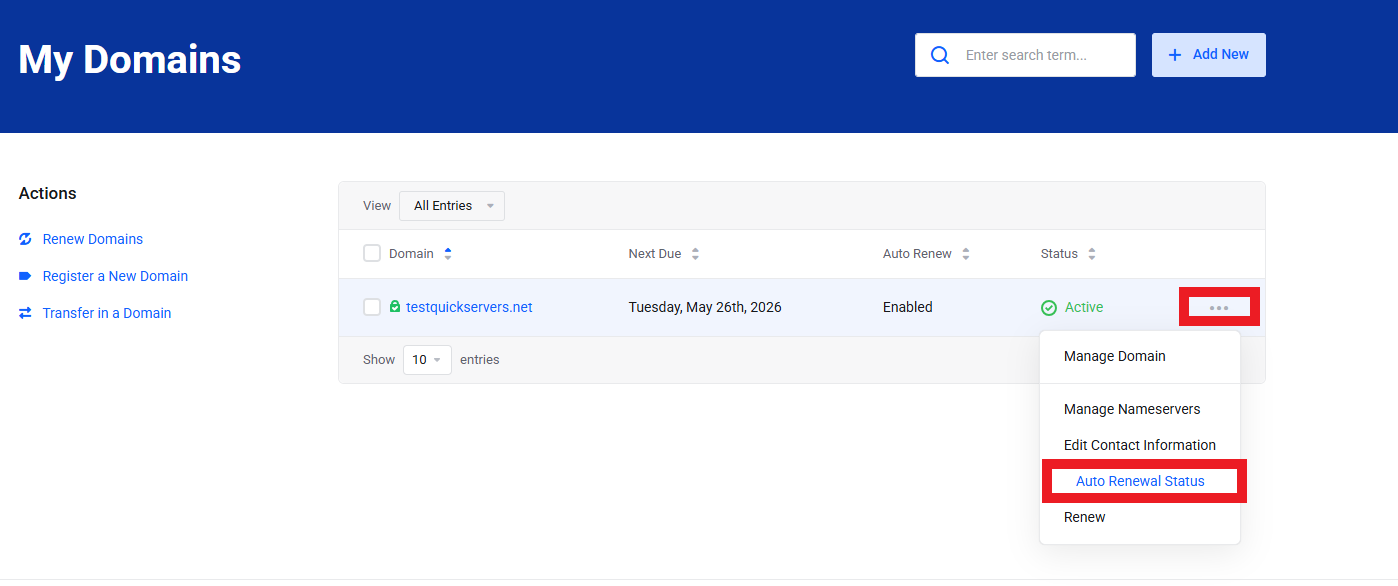
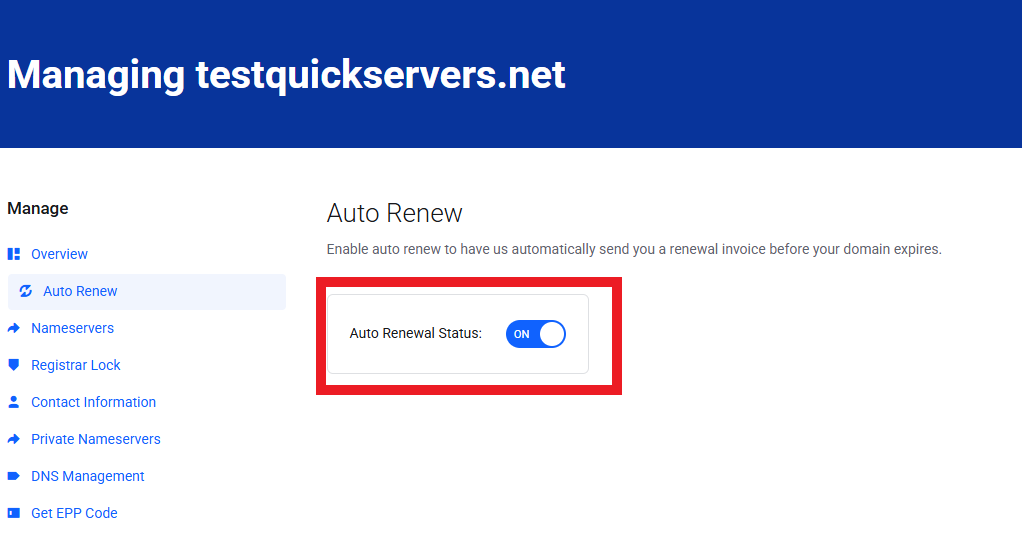
When auto-renew is turned on, QuickServers will try to automatically renew the domain before it runs out, using the payment method that is already on file. This is highly recommended for:
-
Business domains
-
Email-critical domains
-
High-value brand domains
-
Domains used for online shopping or important services
5. Manually renew a domain name registration
You can renew a domain directly from your portal if you want to do it manually or if you want to extend it for several years at once:
-
Sign in to your QuickServers customer account.
-
Click on "Domains."
-
Look for the domain you want to renew.
-
Find link in the sidebar that says "Renew domain".
-
Pick the "renewal period," which could be one year, two years, or more, depending on what is available.
-
Put the renewal in your cart.
-
Go to Checkout and pay with the method of your choice.
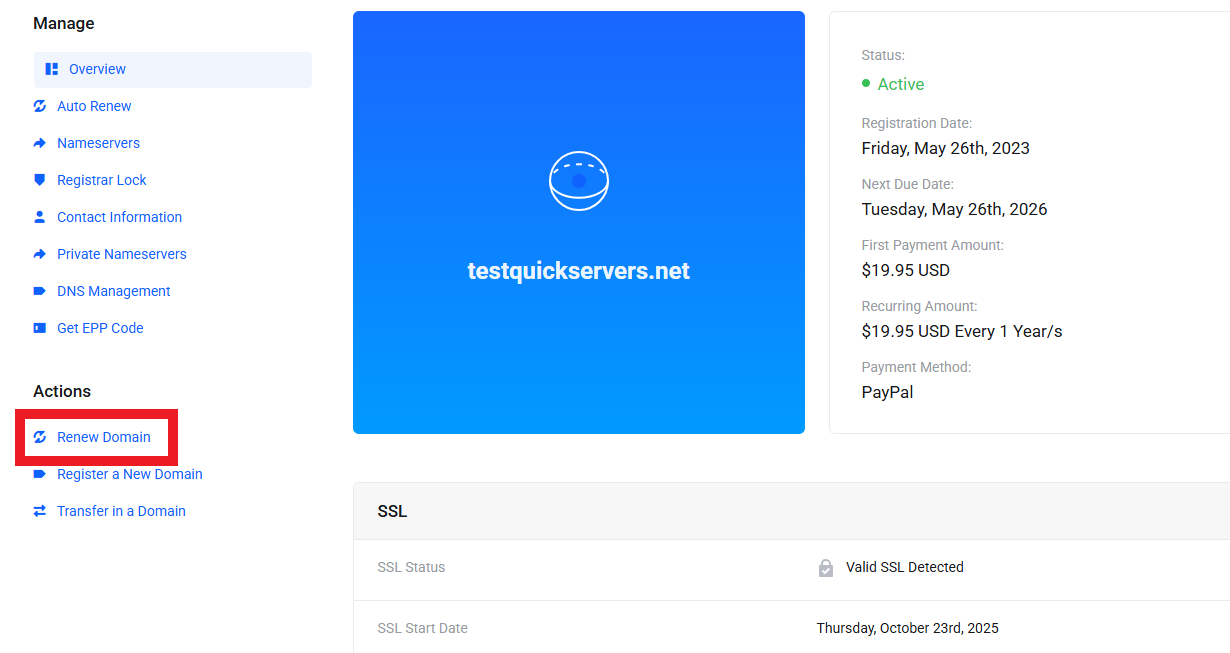
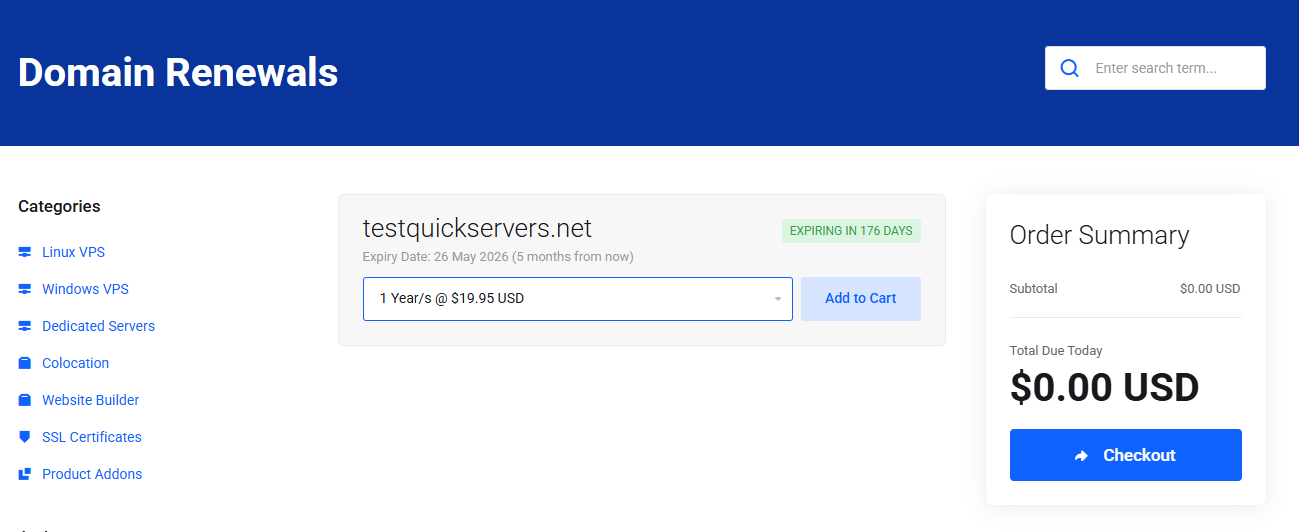
After you pay, the new registration term will be added to your domain. You will then see the new expiration date in your domain list.
6. Renew More Than One Domain at Once
If you use QuickServers to manage more than one domain, renewing them all at once can save you time:
-
In the My Domains section, look for check boxes or bulk actions next to each domain.
-
Choose all the domains that you want to renew.
-
If you can, pick either the "bulk renew" or "renew selected" option.
-
Check the registration periods and then go to "checkout."
Bulk renewal is helpful for businesses, agencies, or resellers that handle a lot of domains for different brands or projects.
7. Check that your billing information is correct.
Both auto-renewal and manual renewal depend on having valid payment information:
-
Make sure that your main payment method (card, wallet, or other option) is still active and hasn't expired.
-
Make sure your billing address is up to date.
-
Before the renewal date of important domains, make sure to update any cards that have expired.
Keeping your billing information up to date can help stop failed payment attempts that could slow down renewal.
8. Keep an eye out for emails reminding you to renew.
QuickServers sends renewal reminders to the email address linked to your account before your domains run out. To make sure you get these:
-
Use an email address that you check often.
-
In your customer portal, make sure your account contact email is up to date.
-
Mark or whitelist QuickServers emails as safe so they don't go to spam.
These reminders are there to catch you if you forget to turn on auto-renew or forget about an expiration date.
9. Best Ways to Keep Your Domain Safe
Follow these easy steps to keep your domains safe and active for a long time:
-
For all important domains, turn on auto-renew.
-
If you can, register for more than one year (for example, 3–5 years) to cut down on how often you need to renew.
-
A few weeks before the expiration date, set personal reminders in your calendar, especially for domains that you have to renew by hand.
-
Combine domains into one QuickServers account so you can see everything on one dashboard.
-
Check your list of domains often to get rid of any that you don't need anymore and focus on your main brands.
These habits help you avoid having to renew at the last minute, having domains expire without warning, and the chance of losing important domains.
The Bottom Line
It's important to renew your domain registration on time so that your website, email, and online brand can keep running smoothly. You can do these things with QuickServers:
-
See all of your domain's expiration dates in one place
-
Turn on auto-renew to feel safe
-
Manually renew domains or all of them at once when you need to
-
You can handle billing and contact information from one customer portal
QuickServers gives you the tools you need to stay ahead of expiration dates and keep your online identity safe, no matter how many domains you own.