How to Get a New Domain Name with QuickServers
The first step to getting your business online is to choose and register the right domain name. QuickServers makes it easy, quick, and fully managed to set up a business website, a personal blog, or multiple domains to protect your brand. You can do all of this from your customer portal.
This guide takes you through the whole process of finding, choosing, and registering a new domain name with QuickServers.
1. Why You Should Register Your Domain with QuickServers
When you register your domain with QuickServers, you get:
-
An integrated customer portal gives you full control.
-
Easy DNS management.
-
Hosting and SSL services are available under one account.
-
Quick renewals and reminders.
-
Secure registration backed by reliable infrastructure.
For your convenience and to make things clear, everything about your domain's life cycle—registration, management, and renewal—happens in one place.
2. Step-by-Step: How to Sign Up for a New Domain with QuickServers
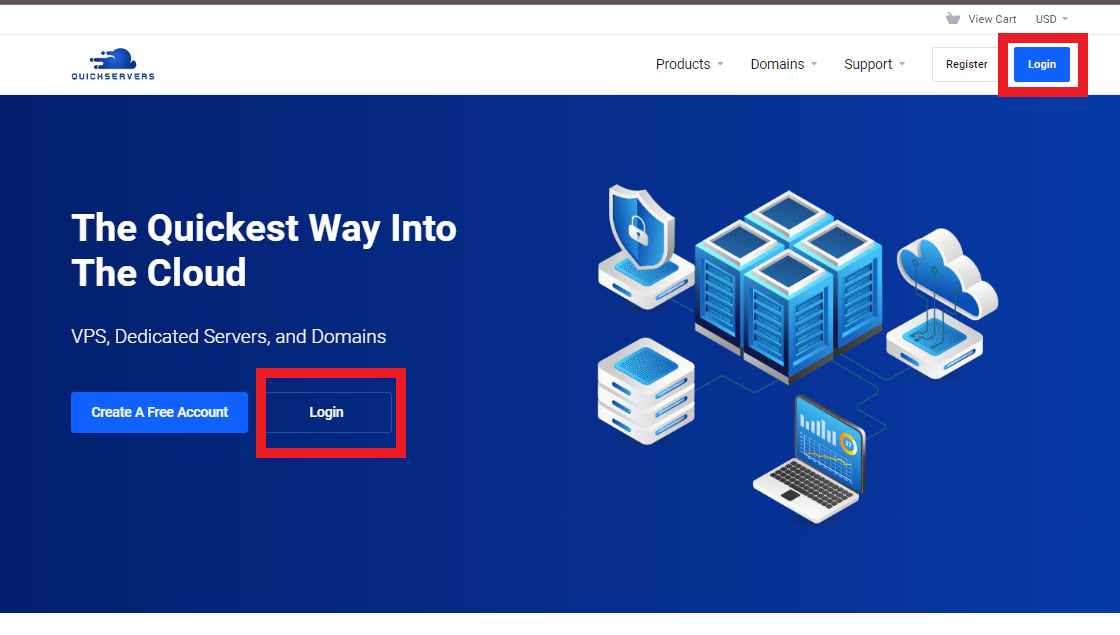
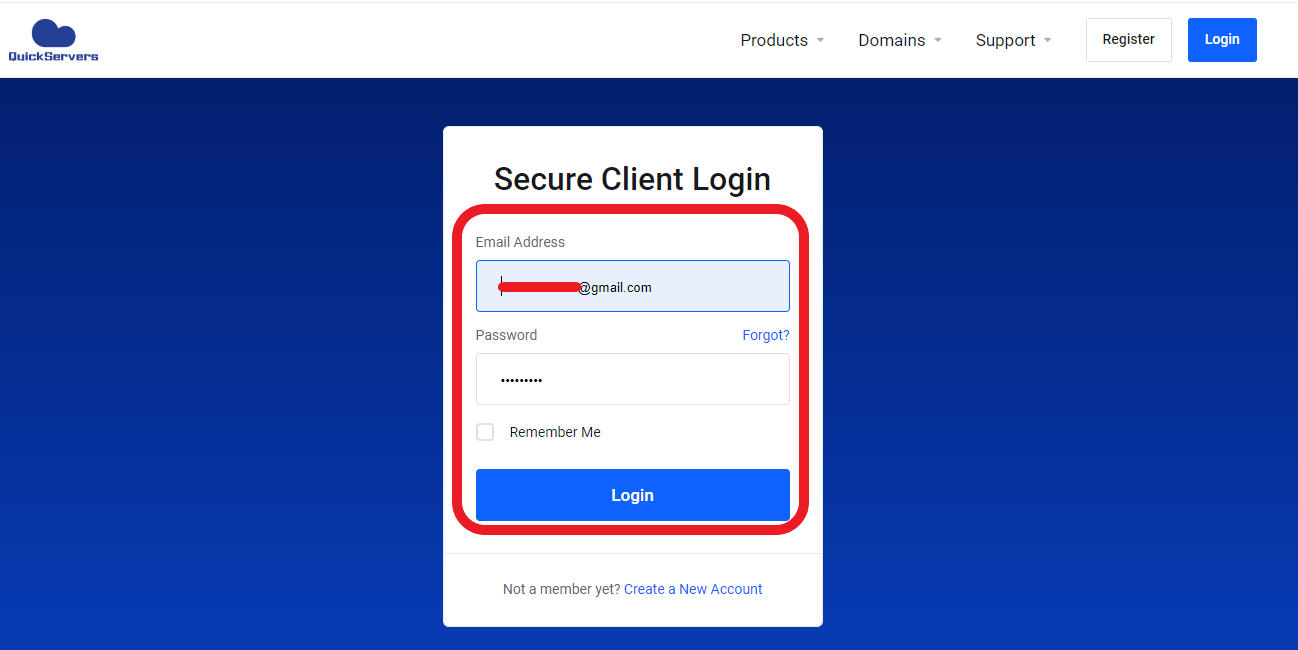
Step 1: Sign in to your QuickServers customer portal
Go to the QuickServers website and sign in to your account.
After you log in, you'll be able to manage your domains, host your sites, pay your bills, and get help.
Step 2: Go to the Domain Search Tool
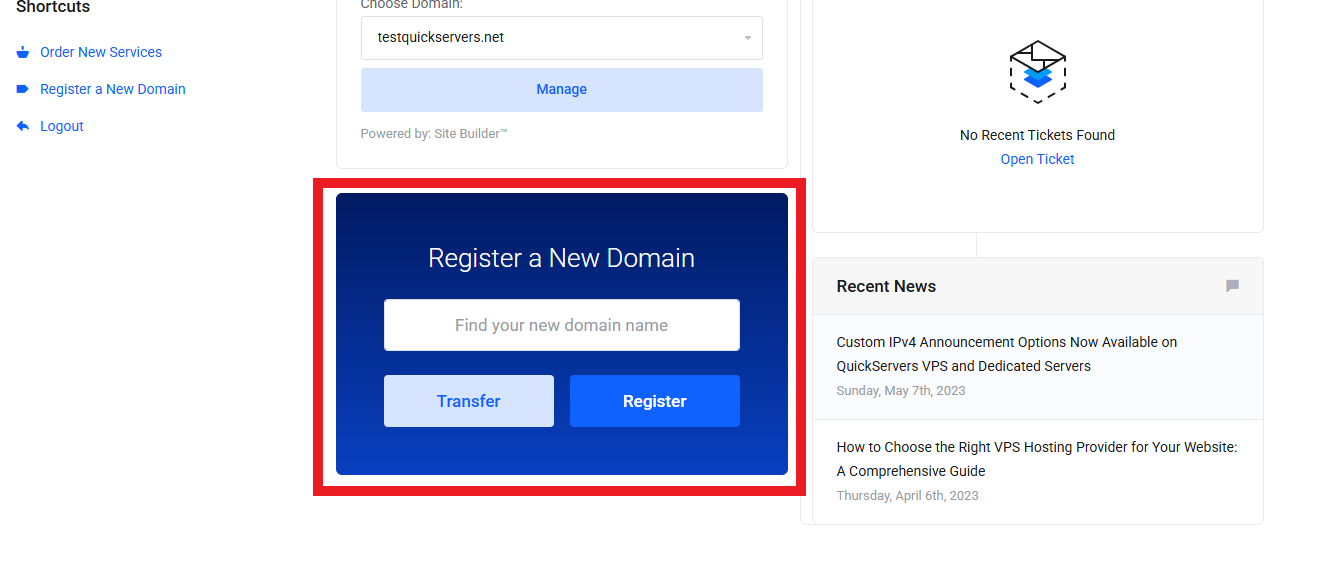
Check for the "Register a New Domain" in the customer portal.
You can use this section to look for available domain names with popular endings like .com, .net, .org, and more.
Step 3: Look for the Domain Name You Want
Type the domain name you want to register into the search box.
The system will show:
-
If the name is free,
-
Suggestions for other names you might also want to get or related domain extensions.
If someone else has the domain, try changing the spelling, adding keywords, or picking a different extension.
Step 4: Put Your Domain in Your Cart
Choose the domain you like and click Add to Cart once you find one that is available.
You can also pick:
-
More domain extensions for brand protection
-
Domain privacy (if it's available)
-
Multi-year registration for better security of ownership
Step 5: Check Your Order
Before you check out, the portal will show:
-
How long the domain name is registered for (1+ years)
-
Optional extras
-
Total cost
Make sure everything looks right.
Step 6: Finish registering
Go to the checkout and pay.
After the payment goes through:
-
Your domain is registered right away
-
You will see it show up in your portal under My Domains
-
You will get emails confirming your registration with all the details
Step 7: Use the Customer Portal to Manage Your Domain
You can fully manage your domain from the QuickServers portal once you sign up.
Most of the time, management options include:
-
Changing nameservers
-
Changing DNS records
-
Changing contact information
-
Turning auto-renew on or off
-
Managing domain add-ons
-
Renewing your domain at any time
Having all of these tools in one place makes managing your domain easy and quick.
3. Suggestions for Picking the Right Domain Name
Here are some things you can do to make your site stand out:
-
Make the domain name short and easy to spell.
-
Use keywords that are related to your business or topic.
-
Don't use hyphens or hard-to-read words.
-
Use trusted extensions like .com whenever you can.
-
Register multiple versions of your domain name to protect your brand.
A good domain name makes your brand stronger, builds trust, and helps people find you more easily in search engines.
4. After you have registered your domain
You can do the following once your domain is live:
-
Link it to your QuickServers hosting plan
-
Set up an SSL certificate for security
-
Set up business email with the domain and set up DNS records for services outside of your network
You can manage everything from one place with your QuickServers dashboard.
The Bottom Line
It's quick, safe, and easy for beginners to register a new domain name with QuickServers. Everything, from the first search to full DNS management, is done through a single customer portal that is easy to use and flexible.
QuickServers has the reliable domain registration tools you need to get started quickly and with confidence, whether you're starting a new brand or growing your online presence.