Understanding WHOIS Lookup and Domain Ownership Verification
Understanding how WHOIS lookup works is an important part of managing your domain.
WHOIS information helps confirm the ownership and status of a domain name, making it easier to verify registration details, resolve issues, or complete tasks like transfers and updates.
This QuickServers guide explains what WHOIS is, why it’s important, and how to check and verify your domain ownership through your QuickServers customer portal.
1. What is a WHOIS Lookup?
A WHOIS lookup is a public information search that shows key details about a domain name.
When a domain is registered, certain information is stored in the global WHOIS database, including:
-
The domain registrant (owner)
-
Domain creation date
-
Expiration date
-
Nameservers being used
-
Contact information (public or privacy-protected)
A WHOIS lookup helps:
-
Confirm who owns a domain
-
Check if a domain is available or already registered
-
Verify expiration and renewal dates
-
Troubleshoot DNS, nameserver, or transfer issues
If you have domain privacy protection enabled, your personal information will be hidden from public view.
2. Why WHOIS Information Matters for Domain Owners
Knowing how WHOIS works is useful for a number of reasons:
-
Ownership verification — Confirms that a domain is registered to the correct person or business.
-
Transfer requirements — WHOIS email details are often used to approve transfers.
-
Troubleshooting — Helps identify whether a domain is expired, suspended, or misconfigured.
-
Security — Ensures no unauthorized changes have been made to your domain contact information.
-
Transparency — Lets you see when your domain expires so you can renew it on time.
Understanding WHOIS makes it easier to manage your online presence with confidence.
3. How to View Your WHOIS Information in the QuickServers Customer Portal
To access key WHOIS details for your domain:
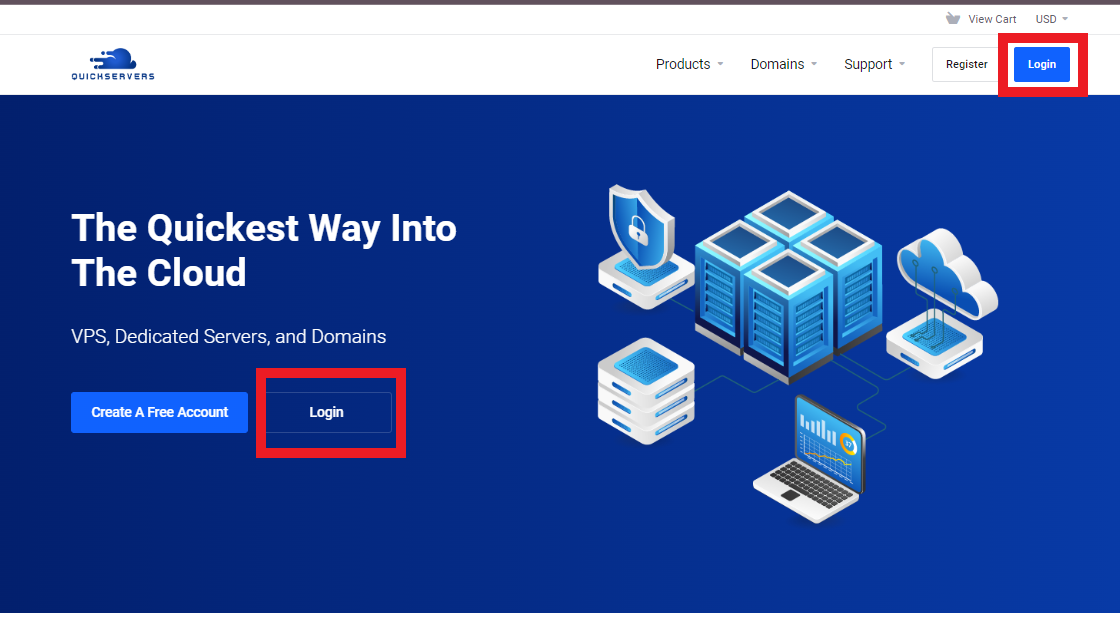
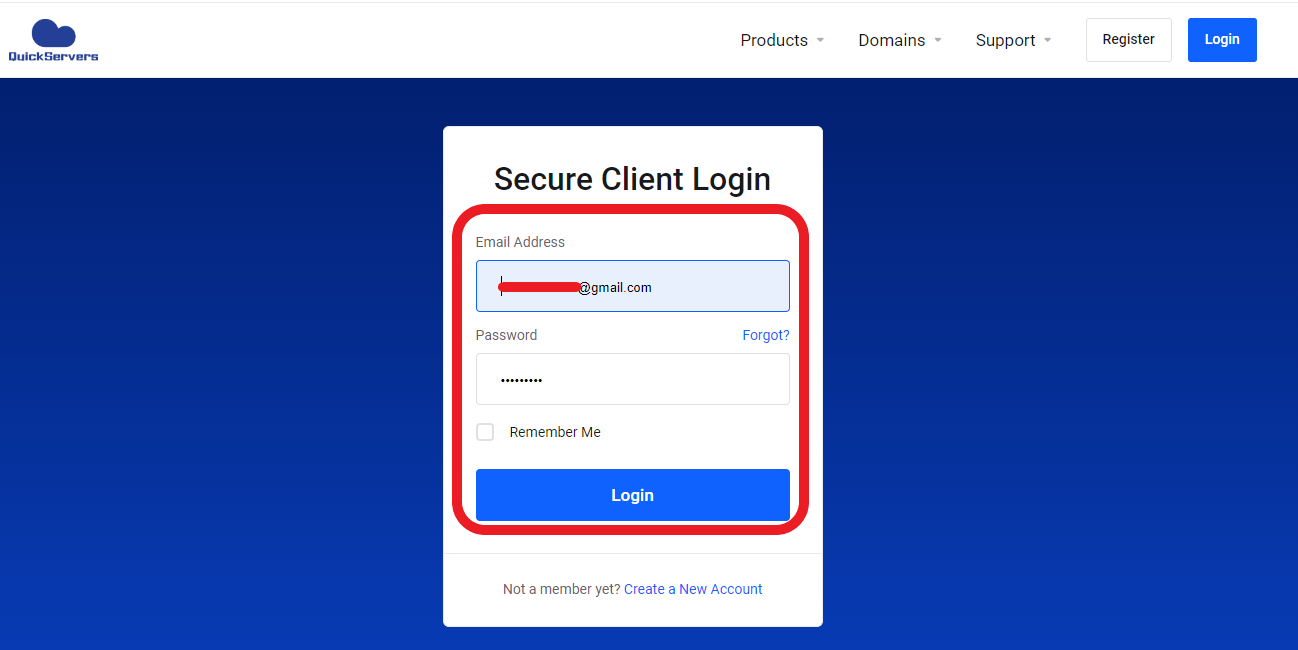
Step 1: Go to the QuickServers website and log in using your customer portal credentials.
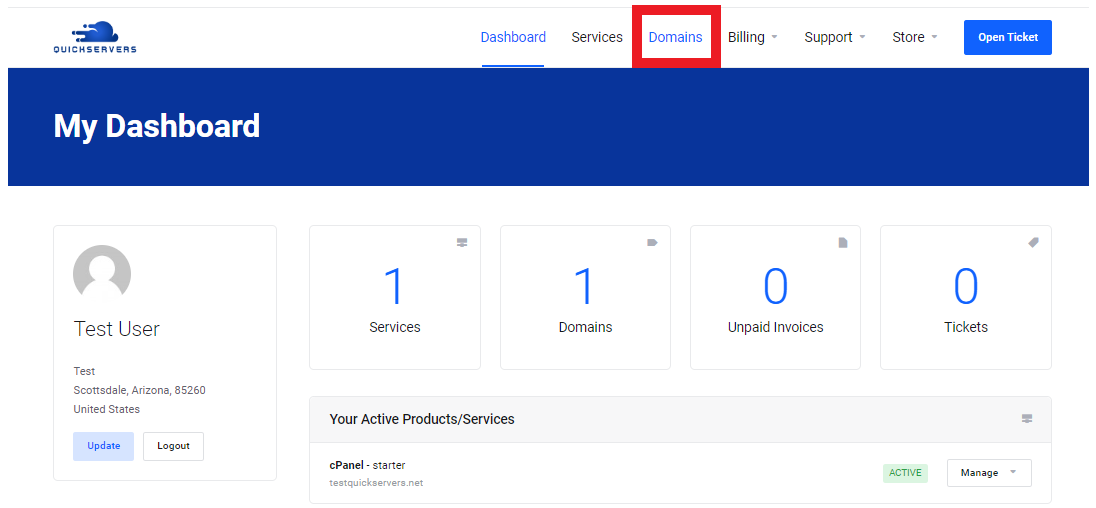
Step 2: From your dashboard, click Domains.
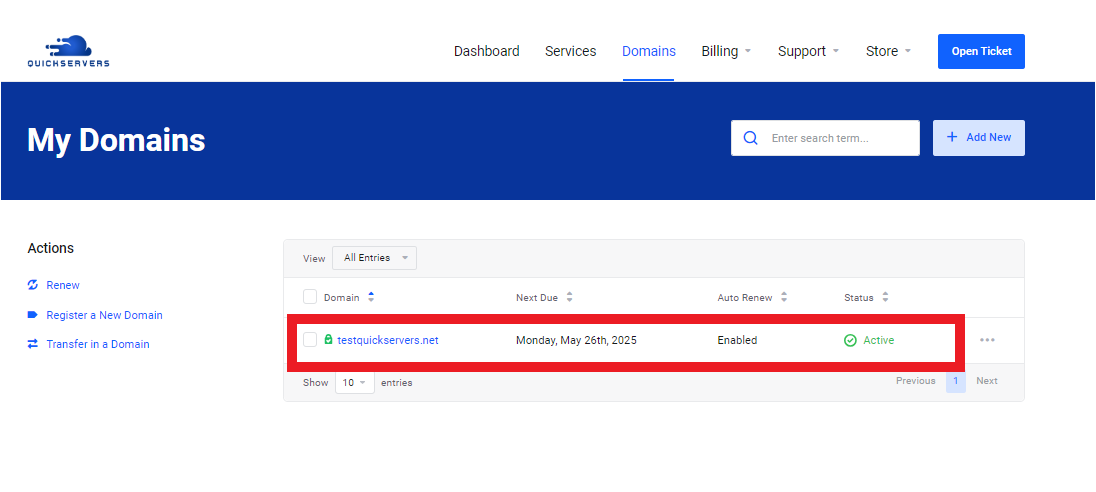
Step 3: Click on the domain name you want to check.
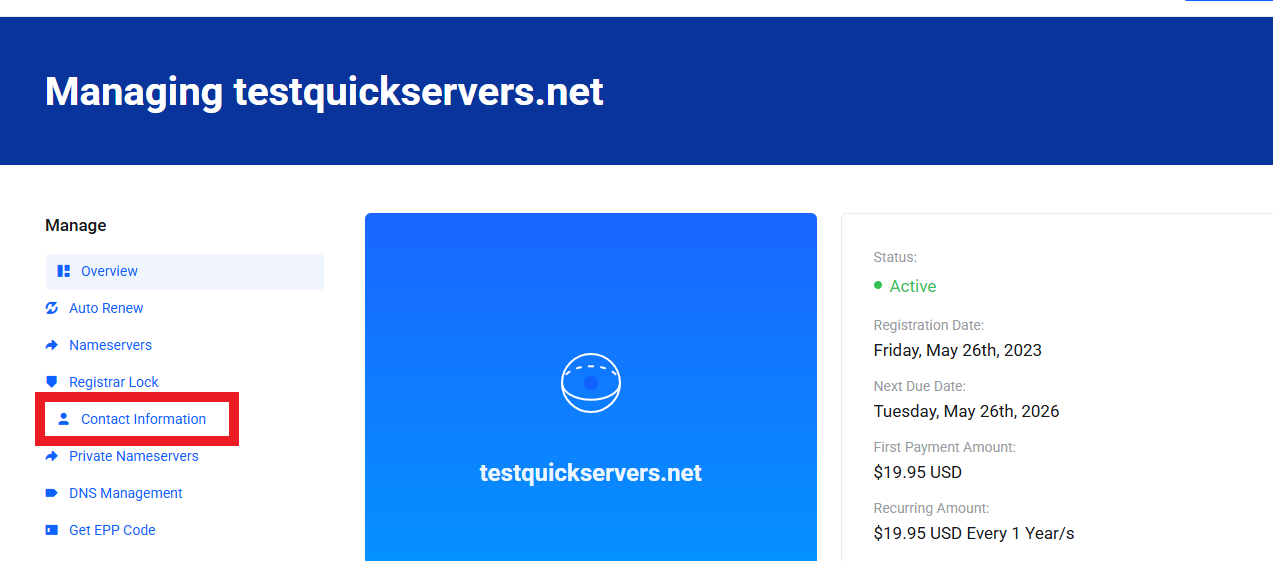
On your domain management page, you will see:
-
Domain registration details
-
Administrative contact information
-
Expiration date
-
Nameservers
-
Optional privacy protection settings
This information should match your intended ownership details.
4. How to Verify You Are the Registered Owner of a Domain
To confirm that you are the owner of a domain:
-
Check the registered contact email in your portal.
-
Make sure the administrative email address is correct—this is used for transfer approvals and verification.
-
Confirm your name or business name is listed correctly under domain contact details.
-
Check that the domain is active and not expired.
-
Make sure nameservers and DNS settings match your intended configuration.
If domain privacy is enabled, WHOIS will show masked information publicly, but your real information will still be visible inside your QuickServers portal.
5. When is WHOIS Verification Required?
You may need to verify your WHOIS information when:
-
Transferring a domain — The receiving provider uses WHOIS details to confirm ownership.
-
Renewing important business domains — Ensuring your contact email is correct helps avoid missing renewal notices.
-
Updating DNS or nameservers — WHOIS can confirm whether recent changes have taken effect.
-
Recovering an expired domain — Correct WHOIS contacts help with restoration notifications.
-
Resolving security issues — If your domain contact info changes unexpectedly, it may signal unauthorized access.
Keeping WHOIS information accurate helps prevent service disruption and ownership problems.
6. How to Update WHOIS (Domain Contact Details) in QuickServers
If your current WHOIS information is outdated:
Step 1: Log in to your QuickServers customer portal.
Step 2: Go to Domains.
Step 3: Click on the domain name you want to update.
Step 4: Look for Contact Information.
Step 5: Update your name, business name, email, phone number, and mailing address.
Step 6: Save your changes.
Accurate WHOIS details ensure you receive verification emails, renewal alerts, and transfer confirmations.
7. WHOIS Privacy and What It Changes
If you enable domain privacy protection:
-
Your public WHOIS details will be replaced with masked or substitute information.
-
Your real email, name, address, and phone will be hidden.
-
Bots, spammers, and data scrapers cannot see your personal contact details.
-
You still fully own the domain and can manage everything normally.
Privacy does not change ownership—just public visibility.
8. Troubleshooting WHOIS and Verification Issues
If something seems wrong with your WHOIS:
-
WHOIS is showing old data — It may take time to update globally.
-
Your transfer approval email didn’t arrive — Check that your administrative email is correct in your portal.
-
Domain shows “expired” even after renewal — Allow time for the system to refresh and recheck WHOIS.
-
Public WHOIS looks different from portal data — Privacy settings may be hiding your real details.
If needed, you can review and adjust everything directly from your QuickServers customer portal.
The Bottom Line
Understanding WHOIS lookup and domain ownership verification is an important part of managing your digital identity. With QuickServers, you have full control over your domain’s contact information, privacy settings, and registration details—all from one customer portal.
Whether you’re confirming ownership, preparing for a transfer, or protecting your information with privacy tools, QuickServers gives you everything you need to manage your domain securely and confidently.